
Editor
Camera and pace
Choose how the camera follows your route, how close it stays, and how fast the story moves.
Camera Preset
Pick a camera
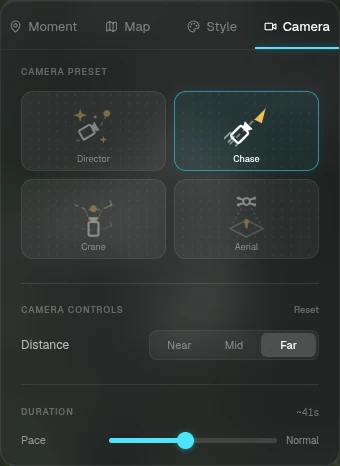
Open the Camera tab and choose a preset.
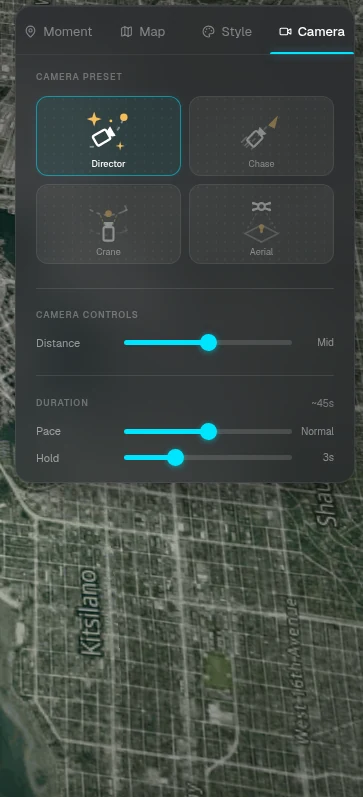
- — Director: a cinematic, tilted angle with smooth hops between moments and a gentle orbit at each. The signature RouteTale look
- — Chase: low and tight behind the tracker, hugging the ground. Great for hilly terrain
- — Crane: a side-on dolly with strong parallax that eases back to reveal the scenery at each moment
- — Aerial: a high overview looking down on the route
- — Fixed Angle: one locked-off shot for the whole story
Camera Controls
Distance and pace
Adjust the preset to fit your route.
- — Distance: move the camera closer to or further from the route
- — Pace: how quickly the story moves between moments
- — Hold: how long the camera stays at each moment (set it per moment in the Moment tab)
- — Reset brings the camera back to the preset's defaults
Custom Map
Facing on a custom map
On a Custom Map, the camera keeps the top of your image up by default, so the picture never turns sideways. Switch Facing to Route to have it turn with the path instead.
Ready to tell your story?
Turn your GPS track into an interactive, cinematic 3D map in just a few clicks.
Start your first story